
Wi-Fi Spots at Haneda Airport! Where to Find Rentals and More
10 min read
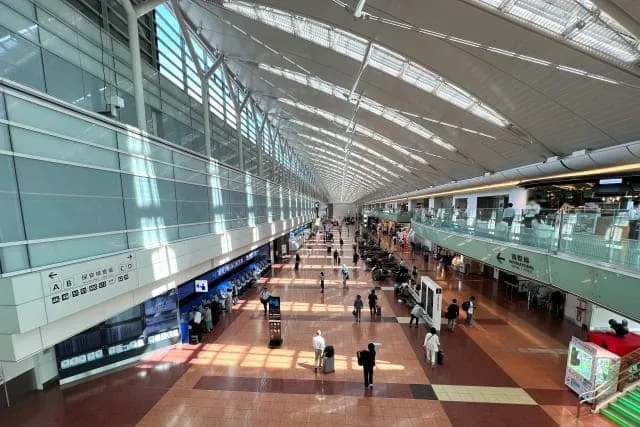
Haneda Airport offers both free and paid Wi-Fi spots, as well as numerous Wi-Fi rental services. Having Wi-Fi is extremely convenient, letting you get work done or comfortably watch videos while waiting for your flight. However, many people may not know which Wi-Fi option to use.
This article explains the Wi-Fi spots and Wi-Fi rental services at Haneda Airport, covering their locations, how to use them, fees, business hours, and precautions. We also introduce recommended ways to access Haneda Airport, so be sure to check it out.
Wi-Fi Spots at Haneda Airport
We’ll explain Haneda Airport’s Wi-Fi spots in the following two categories.
- Free Wi-Fi spots (with some precautions)
- Paid Wi-Fi spots
Free Wi-Fi Spots
Haneda Airport’s free Wi-Fi spots are as follows.
- HANEDA-FREE-WIFI
- d Wi-Fi
- Wi-Fi available at individual stores
Let’s look at each one.
HANEDA-FREE-WIFI
“HANEDA-FREE-WIFI” is the official free Wi-Fi provided by Haneda Airport.
Basic information such as coverage areas is as follows.
| Coverage Area | All of Terminals 1, 2, and 3 *Does not connect inside individual stores except lounges *There are also other areas with weak connectivity |
|---|---|
| Network Name (SSID) | HANEDA-FREE-WIFI |
| How to Use | 1. Select “HANEDA-FREE-WIFI” from your Wi-Fi connection settings 2. Launch a web browser 3. Follow the on-screen instructions to complete the internet connection |
If your connection drops partway through, try reconnecting.
d Wi-Fi
“d Wi-Fi” is a free Wi-Fi spot provided by NTT Docomo. Even if you’re not a Docomo user, you can use it for free by becoming a d POINT CLUB member.
Basic information such as coverage areas is as follows.
| Coverage Area | 【Terminal 1】 ・Starbucks Coffee: Haneda Airport Terminal 1 Marketplace 3F store, Haneda Airport Terminal 1 THE HANEDA HOUSE 5F store ・Doutor Coffee Shop Haneda Airport store ・McDonald’s Haneda Airport Terminal 1 Station store ・Japan Post Haneda Airport Post Office ・FamilyMart Blue Sky Haneda Arrival store ・Lawson: Haneda Airport Terminal 1 North store, Haneda Airport Terminal 1 South store 【Terminal 2】 ・McDonald’s Haneda Airport Terminal 2 Station store ・FamilyMart: Haneda Airport Terminal 2 store, Haneda Airport Terminal 2 International Area store ・Lawson Haneda Airport Terminal 2 store 【Terminal 3】 ・Matsumoto Kiyoshi Keikyu Haneda International Terminal Station store |
|---|---|
| Network Name (SSID) | ・0001docomo (SIM authentication, d ACCOUNT setting app) ・0000docomo (Web authentication) |
| How to Use | 1. Apply for d Wi-Fi 2. Docomo users: Selecting “0001docomo” from your Wi-Fi connection settings will auto-connect via SIM authentication. Non-Docomo users: After completing initial setup via the “d ACCOUNT setting app,” selecting “0001docomo” from your Wi-Fi connection settings will auto-connect. 3. Computers and other devices without a SIM can connect to “0000docomo” via “Web authentication using your d ACCOUNT and d Wi-Fi password” or “Auto-login functionality (for devices supporting IEEE802.1X authentication)” |
For details on applying and setup, please check Docomo’s official website.
Wi-Fi Available at Individual Stores
Besides “HANEDA-FREE-WIFI” and “d Wi-Fi,” stores such as Starbucks Coffee, Pronto, McDonald’s, and Lawson each provide their own Wi-Fi.
Precautions for Free Wi-Fi Spots
With free Wi-Fi spots, you need to be careful about unauthorized access and virus infections.
For example, a malicious person might set up “HANEDA-FREE-WiFi,” designed to look like the official “HANEDA-FREE-WIFI.” If you mistakenly connect to such a Wi-Fi spot, there’s a risk of having your data stolen.
When connecting to a free Wi-Fi spot, make sure to thoroughly verify that the network name (SSID) is correct and safe before connecting.
Additionally, using a VPN (Virtual Private Network) is a good way to increase your security level.
Paid Wi-Fi Spots
As a paid Wi-Fi spot at Haneda Airport, we’ll explain “Wi2 300,” provided by Wire and Wireless Co., Ltd.
Wi2 300 is also introduced as a related wireless LAN link on Haneda Airport’s official website.
Basic information such as coverage areas is as follows.
| Coverage Area | 【Terminal 1】 ・PRONTO Haneda Airport store ・Starbucks Coffee: Haneda Airport Terminal 1 THE HANEDA HOUSE 5F store, Haneda Airport Terminal 1 Marketplace 3F store ・Doutor Coffee Shop Haneda Airport store ・Tokyo Monorail Haneda Airport Terminal 1 Station ・Haneda Airport Post Office 【Terminal 2】 ・Tully’s Coffee Haneda Airport Terminal 2 1F Arts Cafe ・Ichirokudo Yakichi Hitsumabushi and Tai-cha Restaurant ・Ichirokudo Tokyo Karubi Haneda Airport store ・Tokyo Monorail Haneda Airport Terminal 2 Station 【Terminal 3】 ・Matsumoto Kiyoshi Keikyu Haneda International Terminal Station store ・Keikyu Electric Railway Haneda Airport International Terminal Station ・Tokyo Monorail Haneda Airport International Terminal Building Station |
|---|---|
| Network Name (SSID) | Wi2 |
| How to Use | 1. Apply for Wi2 300 2. After initial setup via the “Easy Connect Tool app” or “MAC address registration,” selecting “Wi2 300” from your Wi-Fi connection settings will auto-connect. *You can also log in with a login ID and password without initial setup |
| Fee | 【Wi2 300 Monthly Flat-Rate Plan】(first month free) 1 month: ¥398 (tax included) |
| 【Wi2 300 One-Time Plan】 ・6 hours: ¥350 (tax included) ・24 hours: ¥800 (tax included) ・3 days: ¥1,500 (tax included) ・1 week: ¥2,000 (tax included) |
For details on applying and setup, please check Wi2’s official website.
7 Wi-Fi Rental Options at Haneda Airport
We’ll explain the 7 Wi-Fi rental options at Haneda Airport, organized by terminal.
- Terminal 1 Wi-Fi rentals
- Terminal 2 Wi-Fi rentals
- Terminal 3 Wi-Fi rentals
Let’s look at each one.
Terminal 1 Wi-Fi Rentals
There are no Wi-Fi rentals at Haneda Airport Terminal 1. Please use Terminal 2 or Terminal 3.
Note that free shuttle buses run between terminals. Also, Terminals 1 and 2 are connected by an underground passageway, so you can also walk between them.
Terminal 2 Wi-Fi Rentals
There are 2 Wi-Fi rental options at Terminal 2, as follows.
・GLOBAL WiFi
・Mobile Center Haneda Airport Terminal 2 3F Departure Lobby store
Let’s look at each one.
GLOBAL WiFi
“GLOBAL WiFi” is a Wi-Fi rental service operated by Vision Inc.
Basic information such as business location is as follows.
| Business Location | 2F International Arrivals Lobby |
|---|---|
| Business Hours | 6:00 AM–1:30 PM |
| Phone Number | 03-6459-9250 |
| How to Use | 1. Apply for rental 2. Pick up the Wi-Fi device (counter, locker, courier delivery, or on-site) 3. Use it during your stay 4. Return the Wi-Fi device (counter, return box, or courier delivery) |
For details on applying and fees, please check GLOBAL WiFi’s official website.
Mobile Center Haneda Airport Terminal 2 3F Departure Lobby Store
“Mobile Center Haneda Airport Terminal 2 3F Departure Lobby store” is a Wi-Fi rental service operated by Telecom Square Inc.
Basic information such as business location is as follows.
| Business Location | 3F Departure Lobby (International) |
|---|---|
| Business Hours | 7:00 AM–1:30 PM |
| Phone Number | 03-5708-7035 |
| How to Use | 1. Apply for rental 2. Pick up the Wi-Fi device (counter) 3. Use it during your stay 4. Return the Wi-Fi device (counter) |
For details on applying and fees, please check Telecom Square’s official website.
Terminal 3 Wi-Fi Rentals
There are 5 Wi-Fi rental options at Terminal 3, as follows.
・Mobile Center Haneda Airport 2F Arrival Lobby
・AnyFone JAPAN Counter Haneda Airport International Terminal
・Mobile Center Haneda Airport 3F Departure Lobby
・SoftBank Global Rental Counter Haneda Airport International Terminal 3F store
・Excommunications Global Haneda Airport Counter
Let’s look at each one.
Mobile Center Haneda Airport 2F Arrival Lobby
“Mobile Center Haneda Airport 2F Arrival Lobby” is a Wi-Fi rental service operated by Telecom Square Inc.
Basic information such as business location is as follows.
| Business Location | 2F Arrival Lobby |
|---|---|
| Business Hours | 6:30 AM–11:00 PM *Subject to change |
| Phone Number | 03-5708-7035 (during business hours) 0800-123-6335 (weekdays 9:00 AM–6:00 PM, weekends/holidays 10:00 AM–6:00 PM) |
| How to Use | 1. Apply for rental 2. Pick up the Wi-Fi device (counter) 3. Use it during your stay 4. Return the Wi-Fi device (counter) *An unmanned 24-hour Wi-Fi rental service is also available in front of the store |
For details on applying and fees, please check Telecom Square’s official website.
AnyFone JAPAN Counter Haneda Airport International Terminal
“AnyFone JAPAN Counter Haneda Airport International Terminal” is a Wi-Fi rental service operated by GSM Rentafone Pty Ltd. Japan Branch, a partner of SoftBank.
Basic information such as business location is as follows.
| Business Location | 2F Arrival Lobby |
|---|---|
| Business Hours | 6:00 AM–11:00 PM *Subject to change |
| Phone Number | 03-5708-7039 |
| How to Use | 1. Apply for rental 2. Pick up the Wi-Fi device (counter, courier delivery, or Tokyo office) 3. Use it during your stay 4. Return the Wi-Fi device (counter, return box, courier delivery, or Tokyo office) |
For details on applying and fees, please check AnyFone’s official website.
h4 Mobile Center Haneda Airport 3F Departure Lobby
“Mobile Center Haneda Airport 3F Departure Lobby” is a Wi-Fi rental service operated by Telecom Square Inc.
Basic information such as business location is as follows.
| Business Location | 3F Departure Lobby |
|---|---|
| Business Hours | 6:30 AM–11:00 PM *Subject to change |
| Phone Number | 03-5708-7546 (during business hours) 0800-123-6335 (weekdays 9:00 AM–6:00 PM, weekends/holidays 10:00 AM–6:00 PM) |
| How to Use | 1. Apply for rental 2. Pick up the Wi-Fi device (counter) 3. Use it during your stay 4. Return the Wi-Fi device (counter) |
For details on applying and fees, please check Telecom Square’s official website.
SoftBank Global Rental Counter Haneda Airport International Terminal 3F Store
“SoftBank Global Rental Counter Haneda Airport International Terminal 3F store” is a Wi-Fi rental service operated by GSM Rentafone Pty Ltd. Japan Branch, a partner of SoftBank.
Basic information such as business location is as follows.
| Business Location | 3F Departure Lobby |
|---|---|
| Business Hours | 6:30 AM–11:00 PM *Subject to change |
| Phone Number | 03-3747-0085 |
| How to Use | 1. Apply for rental 2. Pick up the Wi-Fi device (counter, courier delivery, or Tokyo office) 3. Use it during your stay 4. Return the Wi-Fi device (counter, return box, courier delivery, or Tokyo office) |
For details on applying and fees, please check SoftBank Global Rental’s official website.
Excommunications Global Haneda Airport Counter
“Excommunications Global Haneda Airport Counter” is a Wi-Fi rental service operated by Excommunications Global Inc.
Basic information such as business location is as follows.
| Business Location | 3F Departure Lobby |
|---|---|
| Business Hours | 7:00 AM–10:30 PM *Subject to change |
| Phone Number | 0120-800-540 |
| How to Use | 1. Apply for rental 2. Pick up the Wi-Fi device (counter, courier delivery, or Tokyo head office) 3. Use it during your stay 4. Return the Wi-Fi device (counter, return box, courier delivery, or Tokyo head office) |
For details on applying and fees, please check Excommunications Global’s official website.
”NearMe” Is Recommended for Access to Haneda Airport
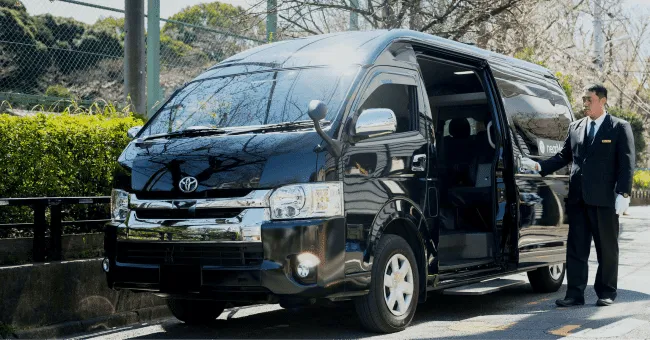
Besides trains, limousine buses, cars, and taxis, there’s also a new transportation option for getting to Haneda Airport: the ride-share taxi service “NearMe.” You can ride comfortably in a spacious vehicle like a Hiace or Alphard for door-to-door access to Haneda Airport.
Just like a regular taxi, you can use it 24 hours a day whenever you like, yet it’s far more reasonably priced than a taxi. It also uses a fully reservation-based system with online payment, making pickup and drop-off smooth.
Fares vary by area; a partial excerpt of the fare table is as follows. The first suitcase is free, and each additional suitcase from the second one costs an extra ¥1,000.
| Route | Adult Fare/Person | Child Fare/Person Child (ages 6-11) Junior seat (ages 4-5) Child seat (ages 0-3) |
|---|---|---|
| Ota, Shinagawa wards | From ¥1,980 | From ¥990 |
| Chiyoda ward | From ¥2,480 | From ¥1,240 |
| Koto, Shibuya, Chuo, Minato, Meguro, Setagaya, Bunkyo, Taito, Edogawa, Shinjuku, Sumida wards | From ¥2,980 | From ¥1,490 |
| Arakawa, Nakano wards | From ¥3,480 | From ¥1,740 |
| Suginami, Toshima, Katsushika, Adachi, Kita, Itabashi wards | From ¥3,980 | From ¥1,990 |
| Nerima ward | From ¥4,980 | From ¥2,490 |
For reference, taking the flat-rate Haneda Airport taxi from Chiyoda ward costs ¥6,900. Adding the ¥1,950 highway toll brings the total to ¥8,850.
NearMe requires no highway toll, and at ¥2,480 per person, it offers a comfortable door-to-door service for less than a third the price of a taxi.
On the NearMe official website, you can enter your pickup location, date and time, number of passengers, and number of bags to search for fares, travel time, and routes. Be sure to take a look.
Summary
We’ve explained the Wi-Fi spots and rentals at Haneda Airport, covering their locations, how to use them, fees, business hours, and precautions.
Haneda Airport is very convenient, with numerous Wi-Fi spots and rental options available. However, since malicious Wi-Fi spots may also exist, be sure to thoroughly verify that the network name (SSID) is correct and safe before connecting.
For access to Haneda Airport, we recommend NearMe, which offers excellent cost performance with comfortable taxi-level service at a budget-friendly price.
Since you can make reservations and pay online in advance, pickup and drop-off are smooth. Be sure to consider using it when visiting Haneda Airport.
Related Articles
![Comparing Taxi-Hailing Apps in Saitama [2026]: How to Choose the Right One in Omiya, Urawa, and Kawaguchi](/_astro/22856472_s.CtsmBGn8_DUDfv.webp) Haneda Airport
Haneda AirportComparing Taxi-Hailing Apps in Saitama [2026]: How to Choose the Right One in Omiya, Urawa, and Kawaguchi
Not sure which app to choose when you want to catch a taxi in Saitama? This article compares the coverage areas and fares of major taxi apps like GO, S.RIDE, and DiDi, and explains in detail how to choose by area for Omiya, Urawa, and Kawaguchi. We'll also introduce NearMe for airport transfers and long-distance trips.
![How to Master Kanagawa Taxis: Smart Usage by Area and Destination [2026]](/_astro/34641748_s.BEOJdjik_Zh5tyA.webp) Haneda Airport
Haneda AirportHow to Master Kanagawa Taxis: Smart Usage by Area and Destination [2026]
Struggling to catch a taxi in Yokohama or Kawasaki? Not sure how to get around Hakone or Kamakura? Want a guaranteed early-morning ride to Haneda Airport? This article breaks down the latest 2026 fare structure and offers a complete strategy tailored to key spots like Yokohama Station, Shin-Yokohama Station, and Haneda Airport.
![Taxis in Chiba: Smart Ways to Get Around by Area and Destination [2026]](/_astro/26296344_s.BzFkm6Ou_1Fu3m.webp) Haneda Airport
Haneda AirportTaxis in Chiba: Smart Ways to Get Around by Area and Destination [2026]
Struggling with "I can't catch a taxi in Chiba" or "I can't get a reservation"? Drawing on the latest 2026 ride-hailing landscape, this guide walks through the smartest ways to get a taxi from urban centers like Chiba City, Kashiwa, and Funabashi to major destinations such as Narita Airport, Tokyo Disney Resort®, and Makuhari Messe, tailored to your destination and time of day.